Best Creality Laser Engravers: 9 Models Compared
As Amazon Associates, we earn from qualifying purchases. This means we may receive a small commission at no extra cost to you if you click through and make a purchase.
As an Amazon Associate we earn from qualifying purchases. Links on this page are affiliate links.
These are the best Creality laser engravers, ranked by their published specifications. We compared 9 models to help you find the right tool. Creality offers enclosed desktop units, open-frame engravers, and galvo systems with varying power levels. The top pick is the Creality Falcon Pro 10W Engraver because it provides safe, precise engraving with air assist. All rankings are based strictly on the data listed for each device.
| # | Product | Best for | Price |
|---|---|---|---|
| 1 | Creality Falcon Pro 10W Engraver Best overall | Safe, precise engraving with air assist | |
| 2 | Creality Falcon A1 Pro 20W Enclosed Engraver Best touchscreen | Fast, safe, enclosed engraving with touchscreen control | |
| 3 | Creality Falcon A1C 10W Enclosed Laser Engraver Best budget | beginners needing safe, compact desktop engraving | |
| 4 | Creality Falcon A1 10W Enclosed Laser Engraver Also great | Large-area desktop engraving with Class 1 safety | |
| 5 | Creality Falcon2 Pro S 40W Enclosed Laser Cutter Best premium | thick material batch production | |
| 6 | Creality Falcon A1 10W with Rotary Roller Pro Best rotary roller | engraving round objects like tumblers | |
| 7 | Creality Falcon A1C 5W Enclosed Engraver Best ai camera | beginners needing safe, automated engraving | |
| 8 | Creality Falcon T1 40W Enclosed Galvo Laser Also great | high-speed commercial production workflows | |
| 9 | Creality Falcon2 Pro S 22W Also great | Safe, high-speed cutting of thicker materials |
Creality Laser Engraver Models
Creality offers distinct categories based on laser power and enclosure design. The Falcon Pro 10W provides air assist for precise desktop work. The enclosed Falcon A1 Pro 20W adds a touchscreen interface for faster, safer operation. These models suit users who need reliable, contained engraving without excessive heat or fumes. For beginners, the compact Falcon A1C 10W offers a safe entry point with AI-assisted controls. It fits limited desk spaces while delivering consistent results on flat materials.
Higher-power options target thicker material cutting and commercial workflows. The Falcon2 Pro S 40W delivers professional batch production capabilities with auto-focus. The Falcon T1 40W Galvo system prioritizes high-speed output for scalable environments. Meanwhile, the Falcon A1 10W with Rotary Roller Pro enables engraving on round objects like tumblers. You should match the laser wattage and features to your specific material thickness and production volume needs.

Creality Falcon Pro 10W Engraver
Best for: Safe, precise engraving with air assist
- Laser Power
- 10W
- Spot Size
- 0.06mm
- Features
- Air Assist
- Compatible Material
- Wood, Metal, Acrylic, Leather, Paper
- Dimensions
- 12.2 × 24.2 × 7.68 inches
- Weight
- 11.2 pounds
The Creality Falcon Pro 10W delivers 72,000 mW of output power with a 0.06mm spot size for precise engraving. It includes built-in air assist for cleaner cuts on wood, leather, and acrylic. The unit features safety locks and an emergency stop button. It supports offline operation via TF card, making it a compact option for desktop use.
- 72,000 mW output power for effective cutting
- 0.06mm spot size for high precision
- Integrated air assist pump for cleaner results
- Emergency stop button and safety lock design
- Offline mode via TF card
- 10W laser power is lower than 20W or 40W models on the list
- 11.2-pound weight adds bulk compared to mini desktop units
- 24.2-inch width is larger than compact Class 1 enclosures
- You need air assist for cleaner material cuts
- You prioritize safety features like emergency stops
- You want offline operation without a computer
- You require higher power than 10W for thick materials
- You need a Class 1 enclosed laser for office safety
- You prefer a smaller footprint for tight desks
Verdict: The Creality Falcon Pro 10W Laser Engraver fits users who value safety and precision over raw power. It suits those who need air assist and offline capability for focused desktop projects.

Creality Falcon A1 Pro 20W Enclosed Engraver
Best for: Fast, safe, enclosed engraving with touchscreen control
- Laser Power
- 20W
- Engraving Speed
- 600 mm/s
- Safety Class
- Class 1
- Software Compatibility
- Falcon Design Space
- Features
- Enclosure, Touchscreen, Auto Focus
- Compatible Material
- Wood, Metal
The Creality Falcon A1 Pro is a 20W enclosed laser engraver with a 460 × 346mm workspace. It features a full touchscreen interface and reaches speeds up to 600 mm/s. The Class 1 safety design includes dual protective covers and an internal fan. This model suits users who want fast engraving and app control without needing goggles. It arrives 80% pre-assembled for quick setup.
- 20W laser power for cutting wood and acrylic
- 600 mm/s engraving speed for batch efficiency
- Full touchscreen with app control for remote monitoring
- Class 1 safety enclosure with dual light filters
- 20W output is lower than the 40W modules on the Falcon2 Pro S and T1
- 37.5-pound weight makes it heavier than the mini A1C
- Workspace is limited to 460 × 346mm compared to larger desktop options
- You want a Class 1 enclosed machine for safer indoor use
- You need fast engraving speeds up to 600 mm/s
- You prefer touchscreen control and app monitoring over buttons
- You require more than 20W of laser power
- You need a larger workspace than 460 × 346mm
- You want a lighter machine for easy portability
Verdict: The Creality Falcon A1 Pro 20W fits users who prioritize safety and speed in a compact, enclosed design. It is ideal for those who want a touchscreen interface and do not need the higher power of the 40W models.

Creality Falcon A1C 10W Enclosed Laser Engraver
Best for: beginners needing safe, compact desktop engraving
- Laser Power
- 10W
- Laser Type
- Diode
- Engraving Speed
- 15,000 mm/min
- Safety Class
- Class 1
- Software Compatibility
- Falcon Design Space
- Features
- Camera, Auto Focus
The Creality Falcon A1C is a Class 1 enclosed laser engraver with a 10W diode module. It reaches engraving speeds up to 15,000 mm/min and features auto focus and a smart camera for precise alignment. This compact unit measures 14.8 by 13.2 by 13.4 inches. It suits beginners who want safety features and AI-assisted design tools without complex setup.
- Class 1 enclosed design blocks laser exposure
- 10W diode laser module included
- Auto focus and smart camera for positioning
- Engraving speeds up to 15,000 mm/min
- Quick-swap laser module system in 15 seconds
- 10W laser power is lower than the 20W or 40W modules on this list
- 15,000 mm/min speed is slower than higher-end models
- Compact 14.8-inch width limits large project sizes
- You want a fully enclosed, Class 1 safe machine
- You need auto focus and visual positioning for accuracy
- You prefer a compact desktop unit for small spaces
- You require high power for thick material cutting
- You need maximum engraving speed for large batches
- You want to engrave on metals without separate modules
Verdict: The Creality Falcon A1C 10W Desktop is a safe, compact choice for beginners who prioritize enclosed safety and AI-assisted ease of use over raw cutting power. It fits users with limited desk space who need reliable, precise engraving on flat materials.

Creality Falcon A1 10W Enclosed Laser Engraver
Best for: Large-area desktop engraving with Class 1 safety
- Laser Power
- 10W
- Laser Type
- Diode
- Work Area
- 15.0" × 12.0"
- Engraving Speed
- 600 mm/s
- Spot Size
- 0.06 × 0.08 mm
- Safety Class
- Class 1
The Creality Falcon A1 is a fully enclosed 10W diode laser engraver with a 15.0 x 12.0 inch work area. It features a CoreXY system for speeds up to 600 mm/s and a 0.06 x 0.08 mm spot size for fine details. The built-in camera aids positioning, and Class 1 safety makes it suitable for desktop use. It suits users needing a large, safe, and fast engraving solution.
- 10W diode laser cuts up to 6 mm wood
- 600 mm/s engraving speed with CoreXY system
- 15.0 x 12.0 inch large work area
- Built-in camera for precise design positioning
- Class 1 safety with fully enclosed design
- Lower 10W laser power than higher-end models
- Heavier 28.7 pounds build compared to mini units
- Limited to 18.11 x 13.62 inch honeycomb panels
- You need a large 15.0 x 12.0 inch engraving area
- You want Class 1 safety for desktop use
- You value high-speed 600 mm/s CoreXY movement
- You require more than 10W cutting power
- You need a compact unit under 20 pounds
- You want to engrave highly reflective metals
Verdict: The Creality Falcon A1 10W offers a spacious work area and fast CoreXY speeds for detailed desktop engraving. It fits users who prioritize safety and size over maximum cutting power.
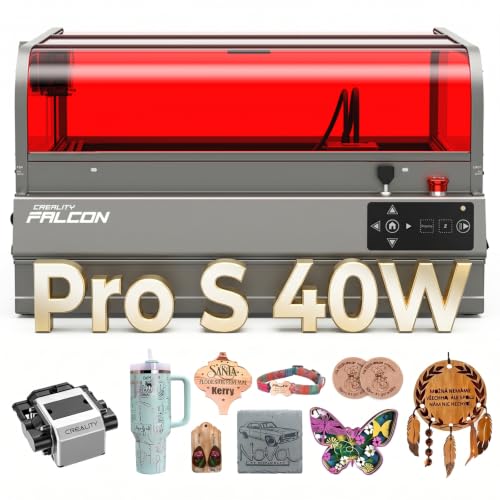
Creality Falcon2 Pro S 40W Enclosed Laser Cutter
Best for: thick material batch production
- Laser Power
- 40W
- Laser Type
- Diode
- Engraving Speed
- 600mm/s
- Safety Class
- Class 1
- Printing Speed
- 600 mm/s
- Features
- Camera, Air Assist, Auto Focus
The Creality Falcon2 Pro S 40W is a Class 1 enclosed diode laser engraver with 40W output. It features auto focus, a built-in camera, and 600mm/s speed. This machine handles thick wood and acrylic. It suits makers needing batch production. The full enclosure contains dust and noise. You get precise cutting with one-key control.
- 40W diode laser output for thick materials
- 600mm/s engraving speed for fast processing
- Built-in camera with auto focus
- Class 1 enclosed safety design
- Debris drawer for easy cleaning
- Heavier at 50.5 pounds than smaller models
- Larger footprint at 26 inches long
- Lower speed than 60W variants
- You need to cut thick basswood or acrylic
- You want a fully enclosed Class 1 machine
- You require auto focus for batch work
- You need a compact desktop unit
- You only engrave thin materials
- You prefer manual focus control
Verdict: Creality Falcon2 Pro S 40W delivers professional cutting power in a safe enclosure. It fits makers who need to process thick materials quickly without manual adjustments.
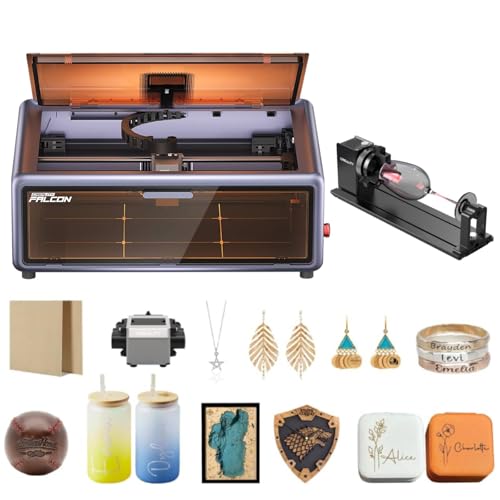
Creality Falcon A1 10W with Rotary Roller Pro
Best for: engraving round objects like tumblers
- Laser Power
- 10W
- Engraving Speed
- 600mm/s
- Safety Class
- Class 1
- Features
- Rotary Roller
The Creality Falcon A1 10W laser engraver delivers 80,000mW of output power with an engraving speed of 600mm/s. It features a Class 1 enclosed design and a built-in camera for automatic material recognition. This bundle includes a Rotary Roller Pro kit with three gripper types, allowing you to engrave curved objects like tumblers. It suits users who need precision on round surfaces alongside flat materials.
- 80,000mW output power for detailed work
- 600mm/s engraving speed
- Class 1 safety class
- Rotary Roller Pro kit included
- Built-in camera for auto settings
- 10W laser power is lower than the 20W and 40W models on this list
- 80,000mW output is less than the 180W and 240,000mW options available
- Engraving speed of 600mm/s is slower than the higher-end Falcon Pro and T1 variants
- You need to engrave cylindrical items like tumblers
- You want a Class 1 safe enclosed machine
- You value automatic material recognition via camera
- You require the highest possible cutting speed
- You need more than 10W of laser power
- You only work on flat, non-curved surfaces
Verdict: The Creality Falcon A1 10W with Rotary is a practical choice for hobbyists who need to rotate objects for engraving. It fits users who prioritize safety and versatility over raw speed or maximum cutting depth.
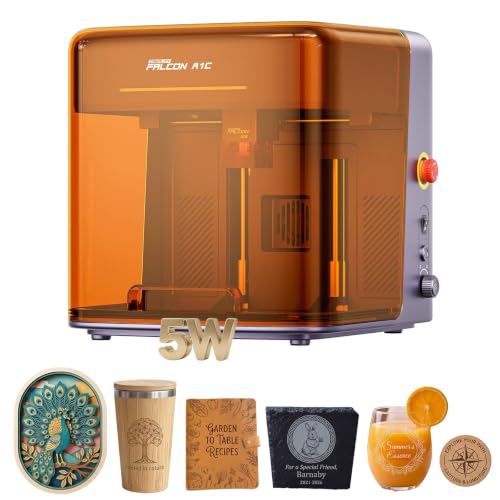
Creality Falcon A1C 5W Enclosed Engraver
Best for: beginners needing safe, automated engraving
- Laser Power
- 5000mW
- Engraving Speed
- 15,000 mm/min
- Safety Class
- Class 1
- Features
- Camera, Enclosure, AI Camera, Auto Focus
- Target Audience
- Beginners
- Compatible Material
- Wood, Leather, Fabric
The Creality Falcon A1C 5W is a Class 1 enclosed laser engraver designed for safe home or school use. It features a 5000mW output and reaches speeds of 15,000 mm/min. The built-in AI camera auto-recognizes materials and settings, simplifying setup. Its adjustable lift table handles thicker items. This model suits beginners who prioritize safety and automated workflows over raw power.
- Class 1 enclosed housing with flame detection and tilt alarm
- AI camera scans materials and auto-selects parameters
- Engraving speed up to 15,000 mm/min
- Adjustable lift table for thick or curved items
- Batch fill feature for replicating patterns
- 5000mW laser power is lower than the 10W and 20W models on this list
- 15,000 mm/min speed is slower than the 22W and 40W variants
- Smaller working area compared to larger desktop enclosures
- You need a Class 1 safe machine for schools or shared spaces
- You want AI-driven auto-focus and material recognition
- You are a beginner looking for an enclosed safety design
- You require high power for cutting thick materials
- You need the fastest engraving speeds available
- You want to engrave metals without an optional IR module
Verdict: Creality Falcon A1C 5W AI Laser is a safe, automated choice for beginners who value Class 1 enclosure safety and AI convenience over high-speed output.

Creality Falcon T1 40W Enclosed Galvo Laser
Best for: high-speed commercial production workflows
- Laser Power
- 40W
- Laser Type
- Diode
- Engraving Speed
- Up to 10,000 mm/s
- Safety Class
- Class 1
- Software Compatibility
- Falcon Design Space
- Features
- Enclosure
The Creality Falcon T1 is a Class 1 enclosed galvo laser engraver with a 40W diode module. It reaches engraving speeds up to 10,000 mm/s and uses AI visual auto-focus for quick setup. The modular design allows swapping laser sources, though only one module works at a time. This system suits users who need high-speed production for wood, acrylic, and leather in a safe, enclosed workspace.
- 40W diode laser power for strong cutting
- Galvo speed up to 10,000 mm/s
- Class 1 safety with full enclosure
- AI visual auto-focus system
- Modular quick-swap laser modules
- Heavier build at 54.3 pounds
- Only one laser module can be used at a time
- Larger footprint at 19 by 18 inches
- You need high-speed engraving for batch orders
- You want a safe Class 1 enclosed system
- You plan to upgrade laser modules over time
- You require simultaneous multi-module operation
- You prefer a lighter, more portable unit
- You need fiber or UV laser capabilities immediately
Verdict: Creality Falcon T1 40W Galvo Engraver fits makers who prioritize speed and safety for commercial workflows. You should choose this model if you need a scalable, enclosed system for high-volume production.

Creality Falcon2 Pro S 22W
Best for: Safe, high-speed cutting of thicker materials
- Laser Power
- 22W (20000mW)
- Laser Type
- Diode
- Engraving Speed
- >600mm/s
- Spot Size
- 0.06 x 0.08mm
- Safety Class
- Class 1
- Software Compatibility
- Falcon Design Space, LightBurn
The Creality Falcon2 Pro S 22W is a Class 1 enclosed diode laser with a 20000mW output. It features a 0.06 x 0.08mm spot size and engraving speeds over 600mm/s. The unit includes a built-in HD camera for batch processing and auto-focus. You get a pre-assembled machine with an exhaust system. It suits users needing safe, high-speed cutting and precise engraving for small business or professional use.
- 20000mW output cuts 12mm wood and 10mm acrylic in one pass
- Class 1 safety rating with fire-resistant metal enclosure
- Built-in HD camera enables intelligent pattern extraction and batch work
- Auto-focus system eliminates manual focusing adjustments
- Exhaust system filters smoke and reduces noise during operation
- 22W power is lower than the 40W modules on the Falcon T1 and Falcon2 Pro S 40W
- 41.5 pounds weight makes it heavier than the 10W Falcon A1 and A1C models
- 21.7 x 24.4 x 16.9 inch footprint is bulkier than the mini Falcon A1C
- You need Class 1 safety for home or office environments
- You want to cut thicker materials like 12mm wood quickly
- You prefer pre-assembled machines with auto-focus technology
- You require the highest possible cutting power available on this list
- You need a compact desktop unit that fits in small spaces
- You prefer lighter machines that are easier to move frequently
Verdict: The Creality Falcon2 Pro S 22W Laser Engraver fits users who prioritize safety and speed for thicker materials. Its enclosed design and auto-focus make it ideal for professional environments where noise and fumes are concerns.
Specifications side by side
| Spec | Creality Falcon Pro 10W Engraver | Creality Falcon A1 Pro 20W Enclosed Engraver | Creality Falcon A1C 10W Enclosed Laser Engraver | Creality Falcon A1 10W Enclosed Laser Engraver | Creality Falcon2 Pro S 40W Enclosed Laser Cutter | Creality Falcon A1 10W with Rotary Roller Pro | Creality Falcon A1C 5W Enclosed Engraver | Creality Falcon T1 40W Enclosed Galvo Laser | Creality Falcon2 Pro S 22W |
|---|---|---|---|---|---|---|---|---|---|
| Laser Power | 10W | 20W | 10W | 10W | 40W | 10W | 5000mW | 40W | 22W (20000mW) |
| Laser Type | – | – | Diode | Diode | Diode | – | – | Diode | Diode |
| Work Area | – | – | – | 15.0" × 12.0" | – | – | – | – | – |
| Engraving Speed | – | 600 mm/s | 15,000 mm/min | 600 mm/s | 600mm/s | 600mm/s | 15,000 mm/min | Up to 10,000 mm/s | >600mm/s |
| Spot Size | 0.06mm | – | – | 0.06 × 0.08 mm | – | – | – | – | 0.06 x 0.08mm |
| Safety Class | – | Class 1 | Class 1 | Class 1 | Class 1 | Class 1 | Class 1 | Class 1 | Class 1 |
| Software Compatibility | – | Falcon Design Space | Falcon Design Space | LightBurn, LaserGRBL | – | – | – | Falcon Design Space | Falcon Design Space, LightBurn |
| Printing Speed | – | – | – | 600 mm/s | 600 mm/s | – | – | – | – |
| Features | Air Assist | Enclosure, Touchscreen, Auto Focus | Camera, Auto Focus | Camera, Enclosure | Camera, Air Assist, Auto Focus | Rotary Roller | Camera, Enclosure, AI Camera, Auto Focus | Enclosure | Camera, Enclosure, Air Assist, Auto Focus |
| Target Audience | – | – | – | – | – | – | Beginners | – | – |
| Compatible Material | Wood, Metal, Acrylic, Leather, Paper | Wood, Metal | – | Wood, Metal | Wood, Acrylic | – | Wood, Leather, Fabric | Wood, Acrylic, Leather | Wood, Metal, Acrylic, Leather |
| Application | – | – | – | – | – | – | DIY Projects | – | – |
| Structure | – | Enclosed | – | Enclosed | – | – | Enclosed | Enclosed | Enclosed |
| Control Interface | – | App Control | – | – | – | – | – | – | – |
| Dimensions | 12.2 × 24.2 × 7.68 inches | 32 × 27 × 15 inches | 13.2 × 14.8 × 13.4 inches | 30 × 25 × 15 inches | 26 × 22 × 12.9 inches | – | 13.4 × 13.2 × 14.9 inches | 12 × 19 × 18 inches | 24.4 × 21.7 × 16.9 inches |
| Weight | 11.2 pounds | 37.5 pounds | – | 28.7 pounds | 50.5 pounds | – | – | 54.3 pounds | 41.5 pounds |
| Size | Falcon Pro-10W with Air Assist Pump | – | – | Falcon-A1 | Falcon2 Pro S 40W with Integrated Enclosure | – | – | – | Pro S 22W |
| Color | Falcon Pro-10W with Air Assist Pump | Falcon-A1 Pro 20W | Purple Gray | Falcon-A1 10W Gray | Falcon2 Pro S 40W | – | 5w Laser | diode 40 W | Pro S 22W Laser |
| Model | Falcon Pro 10W | Falcon A1 Pro | Creality Falcon A1C | Laser Engraver | Falcon2 pro 40W | – | Creality Falcon A1C 5W | Falcon T1 | Creality Faclon2 Pro S 22W |
Where Creality Fits Your Needs
Creality’s lineup spans from compact 5W units to powerful 40W galvo systems. The smallest models, like the Falcon A1C, measure under 14 inches wide, fitting tight desks. Mid-range options offer 10W to 20W power with enclosed safety. The largest units, such as the Falcon T1, weigh over 54 pounds and handle high-speed commercial workflows. You will find enclosed designs across most power levels, ensuring safety. However, no listed model includes a rotary attachment for cylindrical objects, nor do they offer open-frame options beyond the top-ranked Falcon Pro. This range suits users seeking safe, automated engraving for materials like wood, acrylic, and leather.
Choosing Your Creality Laser Engraver
Match Laser Power to Material
Laser power determines what you can cut and how fast. The Falcon A1C 5W handles light engraving on wood and leather but cannot cut thick acrylic. For deeper cuts, the Falcon2 Pro S 40W provides the necessary intensity to slice through dense materials quickly. If you only need surface marking, a 10W unit like the Falcon Pro is sufficient. Higher wattage allows for faster processing but requires more safety precautions. Select the lowest power that completes your specific job to save energy and extend component life.
Prioritize Enclosure for Safety
Enclosed models like the Falcon A1 Pro and Falcon2 Pro S contain fumes and light, making them safer for home or office use. Open-frame units, such as the Falcon Pro 10W, require external air assist and careful monitoring. The enclosed designs often include Class 1 safety ratings, which prevent laser exposure during operation. If you work in a shared space, an enclosed unit reduces noise and odor. Check the product structure to ensure it matches your workspace environment and safety requirements before purchasing.
Check Size for Your Desk
Physical dimensions dictate where you can place the machine. The compact Falcon A1C 5W measures just 13.2 inches wide, fitting easily on small desks. Larger models like the Falcon A1 Pro span 32 inches in length and weigh 37.5 pounds, requiring a sturdy surface. Ensure your workspace has adequate clearance for ventilation and material loading. Measure your desk before ordering to avoid fit issues. The weight also matters for portability; heavier units are stable but harder to move once set up.
Select Based on Target Audience
Your experience level influences the best choice. Beginners should consider the Falcon A1C 5W, which features AI camera assistance and auto-focus for simplified operation. Advanced users might prefer the Falcon T1 40W for its high-speed commercial production capabilities. The Falcon A1 10W offers a balance with CoreXY speeds and a camera for detailed work. Match the machine’s complexity to your skill set. Automated features reduce setup time but may add cost. Choose a system that supports your current workflow without overwhelming you.
Use Air Assist for Precision
Air assist improves cut quality and extends lens life by blowing away debris. The Falcon Pro 10W includes an air assist pump as a standard feature, ensuring cleaner cuts on wood and acrylic. Other models may require separate purchases or lack this feature entirely. Using air assist prevents material from charring and keeps the optical path clear. If you plan to cut thick materials frequently, air assist is essential. Check the attributes list to confirm inclusion. This small addition significantly enhances the precision and consistency of your final output.
Consider Rotary for Round Objects
Engraving cylindrical items like tumblers or pipes requires a rotary attachment. The Falcon A1 10W with Rotary Roller Pro includes this accessory for versatile crafting. Without it, you are limited to flat surfaces. Rotary attachments allow for 360-degree engraving, expanding your creative possibilities. If you intend to make personalized gifts or markers, ensure the model supports this add-on. Verify compatibility with your chosen machine before buying separately. This feature transforms a standard engraver into a multi-purpose tool for various project types.
Frequently asked questions
Which Creality laser engraver is best for beginners?
The Creality Falcon A1C 5W is ideal for beginners. It features a Class 1 enclosed design for safety and an AI camera for automated focus. With 5W power, it handles wood, leather, and fabric for DIY projects. Its compact size fits small desks, making it a safe, easy entry point for new users.
Does Creality make laser engravers with air assist?
Yes, several models include air assist. The top-ranked Falcon Pro 10W comes with an integrated air assist pump to clear debris and improve cut quality. The Falcon2 Pro S 40W and Falcon2 Pro S 22W also feature air assist, helping you achieve cleaner results when working with wood or acrylic.
What is the fastest Creality laser engraver?
The Falcon A1 and Falcon2 Pro S series offer printing speeds up to 600 mm/s. The Falcon A1 uses a CoreXY motion system for fast desktop engraving. The Falcon2 Pro S 40W and 22W models also reach this speed, allowing for quicker processing of thicker materials in enclosed, safe environments.
Can I engrave round objects with Creality machines?
Yes, the Creality Falcon A1 10W with Rotary Roller Pro supports cylindrical engraving. This accessory allows you to rotate objects like tumblers for uniform designs. Other models focus on flat surfaces, but this specific setup provides the versatility needed for round items without requiring manual repositioning.
Which Creality engraver has the largest work area?
The Falcon A1 10W and Falcon A1 Pro 20W offer spacious work areas. The Falcon A1 measures 30 inches in length and 25 inches in width. The Falcon A1 Pro is slightly larger at 32 inches by 27 inches. These dimensions suit users who need to engrave larger flat materials safely.
Is there a Creality laser engraver with a touchscreen?
The Falcon A1 Pro 20W features a touchscreen interface for direct control. It also includes auto-focus and an enclosed structure for safety. This model suits users who want quick, tactile adjustments without relying solely on app control, making it a practical choice for focused desktop projects.
What is the most powerful Creality laser engraver?
The Falcon2 Pro S 40W and Falcon T1 40W are the most powerful options. Both deliver 40W of diode laser power for cutting thick materials like wood and acrylic. The Falcon T1 is a galvo system for high-speed commercial production, while the Falcon2 Pro S offers auto-focus and air assist.
Are Creality laser engravers enclosed for safety?
Most modern Creality models are enclosed for Class 1 safety. The Falcon A1C, A1, A1 Pro, Falcon2 Pro S, and Falcon T1 all feature enclosed structures. This design contains fumes and light, making them safer for home or office use compared to open-frame units like the original Falcon Pro.